Key findings
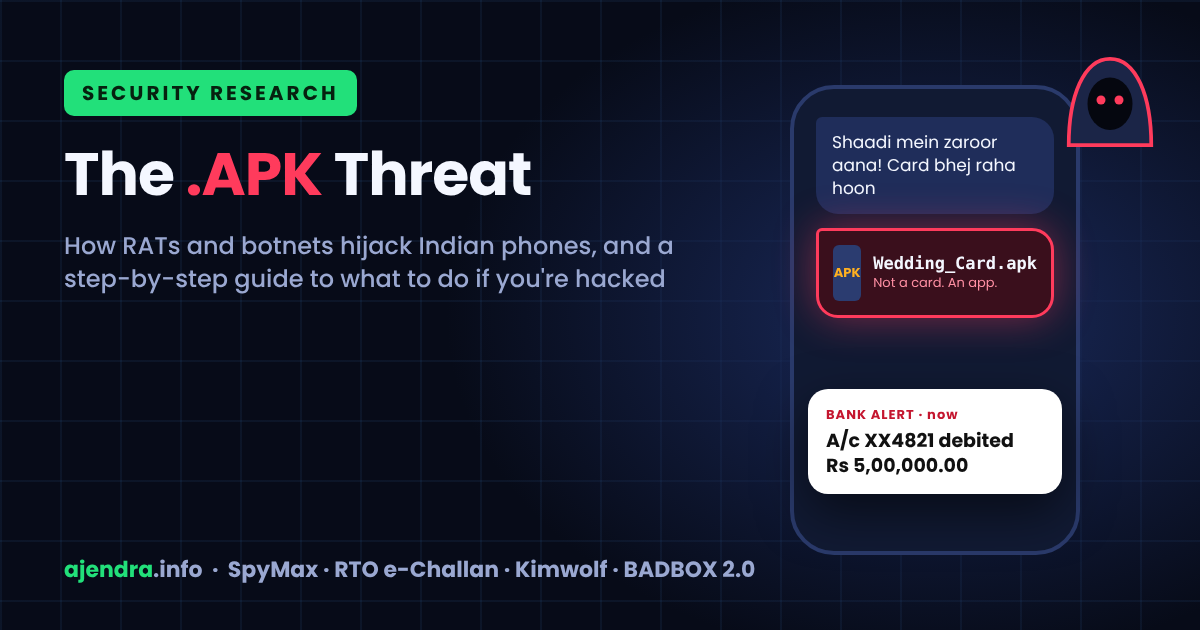
- The most damaging Android malware in India needs no software exploit. It depends on persuading people to install it. Fake "Wedding Invitation", "RTO e-Challan", "Gas Bill Update" and bank-reward files arrive on WhatsApp as .apk app installers that look like ordinary documents.
- The wedding-invite campaign delivers SpyMax, a Remote Access Trojan (RAT). Once installed, it can read SMS and one-time passwords (OTPs), log keystrokes, harvest contacts and give a remote operator control of the phone. India's Cyber Swachhta Kendra issued an alert about it on 25 June 2025.
- The money at stake is very large. Citizens reported ₹22,495 crore lost across 24.02 lakh financial-fraud complaints on the National Cyber Crime Reporting Portal in 2025, up from ₹551 crore in 2021.
- Botnets are a quieter threat. The Kimwolf botnet took over roughly 2 million Android devices, mostly cheap unofficial TV boxes. BADBOX 2.0 passed 10 million devices, many of them infected before they left the factory.
- The first minutes after infection matter most. Cut the internet first, call 1930 if money has moved, remove the app's powers before you uninstall it, and change passwords from a different, clean device. Restarting the phone alone does not remove a RAT.
1. Why this research matters
India's digital payments boom has made the smartphone a bank, an identity card and a wallet all at once. That makes it the most valuable single target a criminal can compromise. Data compiled by the Indian Cyber Crime Coordination Centre (I4C) shows how fast losses have grown. Reported financial-fraud complaints rose from 2,62,846 in 2021 to 24,02,579 in 2025. Reported losses rose from ₹551 crore to ₹22,495 crore over the same period (NCRP/CFCFRMS data).
The harm is not spread evenly. In 2025, 1,03,488 senior citizens reported losses of ₹4,005.12 crore and 4,63,114 women reported losses of ₹3,764.51 crore, according to figures the Ministry of Home Affairs gave the Rajya Sabha (MHA via Asianet).
Investment scams account for the largest share of rupees lost: about 76% in 2025 (CyberPeace analysis of MHA data). This research focuses on a different and fast-growing route: malware that takes over the victim's own phone. Once that happens, the criminal does not need to persuade the victim to send money. They can read the OTP and move the money themselves.
2. The threats, in plain language
- APK (Android Package Kit): the installer file for an Android app. A photo ends in .jpg and a document ends in .pdf. A file ending in .apk is a program that will install and run on your phone.
- RAT (Remote Access Trojan): malware disguised as something harmless that gives a remote attacker control of the device. They can read messages, watch the screen, open apps and steal data.
- Banking trojan: a RAT built for financial theft. It intercepts OTPs, shows fake login screens over real banking apps, and records PINs and passwords.
- Dropper: a small first-stage app whose only job is to quietly install the real malware, usually behind a fake "system update" screen.
- Botnet: a network of infected devices (phones, PCs, TV boxes, routers) that one operator controls. Each device becomes a "bot" used for attacks, spam, fraud, or reselling its internet connection, usually without the owner noticing anything.
- C2 (command-and-control) server: the attacker's server, which sends commands to infected devices and receives the stolen data.
3. Case study: the "Wedding Invitation" APK and SpyMax RAT
Indian weddings now come with digital invitations shared on WhatsApp, often from a relative's number and often to a family group. Attackers use this habit. Police in Himachal Pradesh and other states have issued public warnings. Victims include a 42-year-old Bengaluru businessman who lost ₹5,00,440 (The Logical Indian) and a Hyderabad resident in May 2026 (News Arena).
K7 Security Labs analysed a sample after a victim reported money stolen from their bank accounts (K7 Labs). Their analysis shows how each step builds on the last:
- Lure: a WhatsApp message from a known contact carrying "Wedding Invitation.apk".
- Foothold: on first launch, the app asks to become the default Home app and asks the user to enable Install unknown apps.
- Hidden second stage: it shows a fake "system update" message while it decrypts and installs a second app from inside itself.
- Permission grab: it requests SMS and contacts access. It then opens a fake "Google Play service" settings page that asks the user to grant "full control" of the device, which means Accessibility access.
- Surveillance: the payload works as a keylogger and saves keystrokes to log files on the device. Researchers also note that it pulls OTPs, WhatsApp messages and 2FA codes out of notifications (SecurityOnline).
- Exfiltration and control: the stolen data is compressed and sent to a C2 server, and the malware waits for further commands.
Broadcom researchers documented the same campaign spreading through WhatsApp and Telegram. They noted that the app hides its icon and restarts automatically when the phone boots (Cyber Security News). That second point is why restarting an infected phone does not clean it.
India's Cyber Swachhta Kendra (CSK), part of CERT-In, published an advisory on SpyMax on 25 June 2025. It also lists a fake Telegram app as a second disguise (CSK alert). Indicators of compromise from that advisory, defanged:
4. Case study: fake RTO e-Challan apps
The second major lure uses the fear of a traffic fine. A WhatsApp message says a challan has been issued and attaches a file such as "RTO Challan.apk", "mParivahan.apk" or "VAHAN PARIVAHAN.apk".
- CYFIRMA's December 2025 technical report describes a fake e-Challan app. Under the pretext of a ₹1 challan fee, it collects Aadhaar, PAN and date of birth, along with card number, CVV, ATM PIN, net-banking credentials and UPI PIN (CYFIRMA).
- Cyble identified more than 40 distinct samples from September 2025 onward. They use anti-analysis tricks, and some can also mine cryptocurrency (Cyble).
- Seqrite documented a three-stage version that harvests identity data, banking notifications, OTPs and transaction alerts (Seqrite).
- Some variants ask to become the default SMS app and forward every incoming message to a Telegram bot the attacker controls (The Quint).
No government department, bank, gas agency or wedding host needs you to install an app from a WhatsApp file. Treat any .apk received in chat as hostile.
5. Botnets: when your device becomes a soldier
Unlike banking trojans, botnet malware usually wants your device's internet connection and computing power rather than your money. The two most significant recent cases involve cheap Android hardware:
- Kimwolf. QiAnXin XLab reported in December 2025 that this DDoS botnet had hijacked about 1.8 million Android devices, mostly off-brand TV boxes, set-top boxes and tablets (ThaiCERT summary). It later passed 2 million. Researchers found that about two-thirds of infections were Android TV boxes with no security or authentication built in (KrebsOnSecurity).
- BADBOX 2.0. Google told a court in July 2025 that this botnet had infected more than 10 million devices. They include low-cost streaming boxes, tablets and projectors, some with the malware pre-installed (PCMag via Yahoo).
Infected devices are rented out for DDoS attacks, advertising fraud, account-takeover attempts and "residential proxy" services. A residential proxy routes criminals' traffic through your home connection, so their activity looks like it came from your IP address. Warning signs on a home network include slow internet, a TV box that runs hot while idle, and unknown apps on the box.
India-specific help: CSK, run by CERT-In since 2017, offers free bot-removal tools. For Windows these come from eScan, K7 and Quick Heal. For Android they are "eScan CERT-In Bot Removal" and C-DAC's "M-Kavach 2" on the Play Store (Digit). Download them only through csk.gov.in or the official Play Store listing.
6. Anatomy of an attack
- Social lure: a wedding, a fine, a bill, a reward or a KYC deadline. The file often comes from a contact whose phone is already infected.
- Install: the victim enables "Install unknown apps" for WhatsApp, Chrome or the file manager.
- Privilege escalation: the app asks for Accessibility, notification access, the SMS-app role or device admin, each request disguised as a "system" step.
- Stealth and persistence: the icon disappears, the malware starts at boot, and it may block the Settings screen or antivirus apps.
- Collection: OTPs, SMS, contacts, keystrokes, screen content and banking notifications.
- Cash-out: UPI transfers, card transactions or loans, often at night when alerts go unnoticed.
- Spread: the same APK is forwarded to the victim's contacts and groups, starting the cycle again.
7. Signs your device may be compromised
- OTP or transaction SMS you did not request, or bank alerts that stop arriving altogether.
- An unfamiliar app under Settings → Apps, often with a generic name such as "System Service" or "Update", or with no icon.
- An app you don't recognise listed under Accessibility, Device admin apps or Notification access, or set as the default SMS app.
- Battery draining fast, the phone heating up when idle, or unexplained mobile-data use.
- Friends receiving messages or APK files "from you" that you never sent.
- Settings or your antivirus closing as soon as you open them.
8. Incident response: what to do if you have been hacked
Work through these phases in order. Order matters, because a live RAT can watch what you type on the infected phone.
Phase 1: Contain (first 5 minutes)
- Turn on Airplane Mode, or switch off Wi-Fi and mobile data. This cuts the attacker's live connection and stops data leaving the phone. Powering off works as an emergency stop, but most modern phones have no removable battery, and you will need the phone for the clean-up.
- Stop using banking and UPI apps on that phone.
- If money has moved, call 1930 straight away. It is India's 24×7 National Cyber Crime Helpline, run by I4C under the Ministry of Home Affairs. Speed matters: through the CFCFRMS system, more than ₹8,189 crore had been saved across 23.61 lakh complaints by 31 December 2025 (I4C data).
- From another phone, call your bank to block UPI, cards and net banking.
Phase 2: Remove the malware
- Go to Settings → Security (or Biometrics & security) → Device admin apps and turn off admin rights for any app you don't recognise. An app with admin rights cannot be uninstalled until you remove them. Menu names vary by brand.
- Go to Settings → Accessibility → Installed apps and turn off any unknown service. Do the same under Notification access, and reset your default SMS app to the phone's own Messages app.
- Go to Settings → Apps and uninstall the suspicious app, plus anything installed around the same time.
- If it refuses to uninstall, reboot into Safe Mode. On most phones, hold the power button, then long-press "Power off". Third-party apps are disabled in Safe Mode, so you can remove the app there. This is the useful kind of restart. A normal restart will not help.
- Turn off Install unknown apps for WhatsApp, Chrome, Telegram and your file manager.
- Run a Google Play Protect scan, and use one of CSK's Android tools.
- Dial *#21# to check that call forwarding hasn't been switched on quietly. If it has, cancel it with ##002#.
- If you still have doubts, back up only photos and documents, not apps, and factory reset the phone.
Phase 3: Recover your accounts (from a clean device)
- Change passwords from a different, trusted device, in this order: email first, then banking and UPI, then social media. Your email account is the key that resets everything else.
- Turn on two-step verification everywhere, preferably with an authenticator app or passkey rather than SMS.
- In WhatsApp, open Linked devices and log out anything unfamiliar, then turn on Two-step verification. Run Google's Security Checkup to remove unknown sessions.
- Warn your contacts not to open anything "you" sent recently.
Phase 4: Report and preserve evidence
- File a complaint at cybercrime.gov.in, even if you have already called 1930.
- Keep screenshots of the message, the sender's number, the APK file name, transaction IDs and bank SMS. Do not delete anything before you report it.
- Be wary of anyone who offers to "recover" your money for a fee. That is a common follow-up scam.
If it's a laptop or PC
- Disconnect from the internet. Run a full scan and a Microsoft Defender Offline scan, then a CSK bot-removal tool.
- Uninstall remote-access tools you didn't install yourself (AnyDesk, TeamViewer and similar) and any unfamiliar browser extensions.
- Change passwords from a clean device. If ransomware or persistent infection is suspected, reinstall the operating system.
9. Prevention checklist
- Install apps only from the Google Play Store or your phone maker's official store. Never install a file ending in .apk that arrived in a chat.
- Keep Install unknown apps switched off for every app.
- Never grant Accessibility, notification access or device-admin rights to an app unless you know exactly why it needs them.
- Keep Android and your apps updated, and keep Play Protect on.
- Never share OTPs or UPI PINs, and never screen-share with a "support agent".
- Use two-step verification on email, WhatsApp, banking and social accounts.
- Buy certified Android TV boxes with Play Protect, change router default passwords, and update router firmware.
- Check before trusting: if a relative sends a "card", call them and ask.
10. Platform defences and what is changing
Android has steadily added protections against sideloaded malware, but none of them removes the need for user caution:
- Restricted settings (Android 13 and later). Apps installed from a downloaded APK are blocked from requesting Accessibility and notification access unless the user deliberately allows it. Android 15 extended this to device admin, default SMS and dialer roles, and drawing over other apps (9to5Google). However, dropper services such as SecuriDropper bypass it by installing payloads through Android's session-based installer (BleepingComputer).
- Play Protect enhanced fraud protection. Google began piloting this in India in October 2024. It automatically blocks internet-sideloaded apps (from browsers, messaging apps and file managers) that declare permissions often abused for fraud. Google says more than 95% of installs of major fraud malware families came from such sources (Google India blog). Across all pilot regions in 2024, it shielded 10 million devices from more than 36 million risky installation attempts (Google Security Blog).
- Developer verification. Google is moving to require that apps on certified Android devices come from identity-verified developers. Enforcement began in Brazil, Indonesia, Singapore and Thailand in September 2026, with a global rollout planned for 2027 (Android Authority). Until it reaches India, an unverified APK can still be installed if the user insists.
In short, platform controls make attacks harder. In every case covered here, though, the decisive step was a person tapping "Install" and then "Allow". Awareness is still the strongest control.
11. Myths vs facts
- Myth: "Restarting the phone removes the virus." Fact: RATs such as SpyMax start again automatically at boot. Cut the internet first, then remove the app, using Safe Mode if needed.
- Myth: "It came from my uncle, so it's safe." Fact: these campaigns spread through contacts whose phones are already infected.
- Myth: "I didn't share my OTP, so my money is safe." Fact: once installed, a banking trojan reads the OTP itself.
- Myth: "Only phones get hacked." Fact: TV boxes, routers and PCs are the backbone of today's botnets.
Quick reference
APK in chat? Don't open it. Hacked? Airplane Mode → 1930 (if money moved) → remove admin and Accessibility → uninstall (use Safe Mode) → change passwords from another device → report at cybercrime.gov.in.
References
- K7 Security Labs: SpyMax, a fake wedding invitation app targeting Indian mobile users
- Cyber Swachhta Kendra (CERT-In): SpyMax Android Malware alert, 25 June 2025
- Cyber Security News: weaponized wedding invite scams deploying SpyMax RAT
- SecurityOnline: SpyMax steals OTPs and banking credentials
- CYFIRMA: RTO Challan fraud technical report (Dec 2025)
- Cyble: RTO-themed phishing campaign targets Android users in India
- Seqrite: multi-stage RTO-themed Android malware campaign
- The Quint: how a fake e-Challan APK hijacks your phone
- NCRP / CFCFRMS financial fraud figures 2021–2025 (I4C data)
- MHA in Rajya Sabha: senior citizens and women cyber-fraud losses, 2025
- CyberPeace: analysis of India's cybercrime surge from MHA data
- The Logical Indian: Bengaluru businessman loses ₹5 lakh to wedding-invite APK
- The Tribune: Himachal police warning on wedding-invite APKs
- ThaiCERT: Kimwolf botnet enslaves 1.8 million Android devices
- KrebsOnSecurity: the Kimwolf botnet is stalking your local network
- PCMag: BadBox 2.0 has spread to over 10 million Android devices
- Digit: Cyber Swachhta Kendra free bot-removal tools
- Google India: launching enhanced fraud protection pilot in India
- Google Security Blog: enhanced fraud protection results
- 9to5Google: Android 15 further restricts sideloaded apps
- BleepingComputer: SecuriDropper bypasses Android Restricted Settings
- Android Authority: Android developer verification timeline
This article is for public awareness and defensive purposes only. Indicators of compromise are defanged and taken from published advisories. Statistics are as reported by the cited sources and may be revised. If you are a victim of cyber fraud in India, call 1930 or report at cybercrime.gov.in.